







































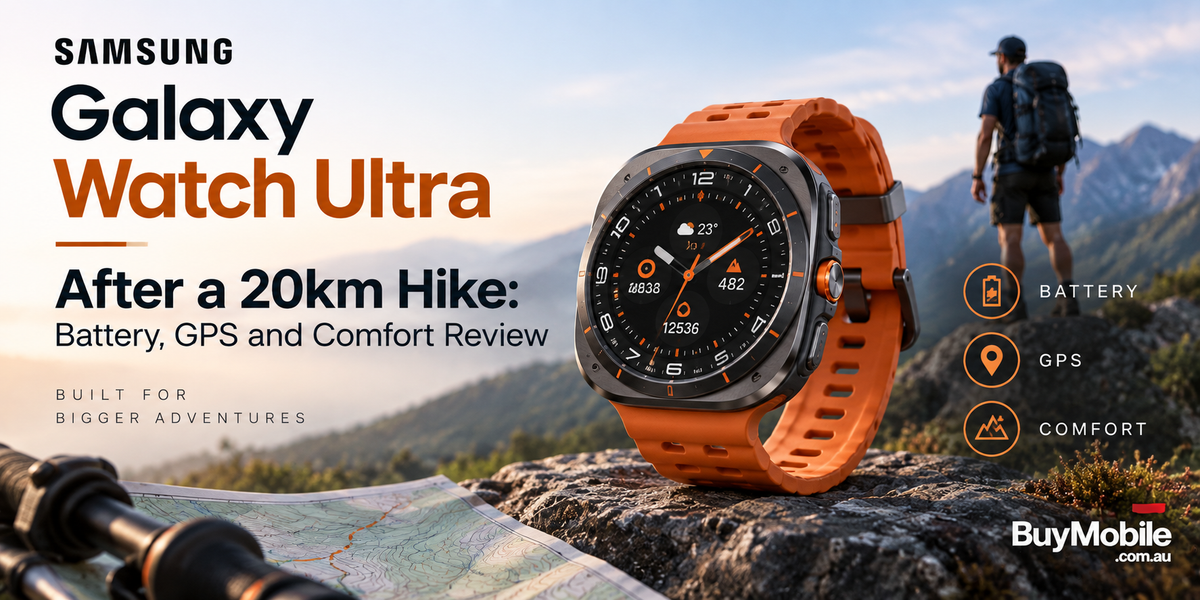
A 20km hike is a much better smartwatch test than a short walk around the neighbourhood. Several hours of continuous GPS tracking, changing elevation, bright sunlight and constant movement can expose weaknesses that are easy to miss during everyday use. The Samsung Galaxy Watch Ultra is specifically designed for these conditions, with dual-frequency GPS, a 590mAh battery, titanium construction and outdoor navigation features.So, what should you expect when taking the Galaxy Watch Ultra on a demanding 20km hike? Here is how its battery, GPS, navigation and comfort features translate to a long day on the trail.
How Well Does the Galaxy Watch Ultra Handle a 20km Hike?
The Galaxy Watch Ultra is clearly built with outdoor activities in mind. Samsung gives it a titanium cushion-style design, sapphire crystal display protection, 10ATM water resistance and IP68 dust and water resistance. Samsung also lists MIL-STD-810H durability and an operating temperature range of -20°C to 55°C.Those features become meaningful on a 20km hike.Dust, sweat, unexpected rain and occasional contact with rocks or branches are normal parts of trail use. You don't want to spend the entire hike worrying about protecting your smartwatch.The Ultra's rugged construction makes it feel much more suited to this environment than a conventional lifestyle-focused wearable.
How Accurate Is the GPS?
GPS performance is arguably the most important part of a hiking watch.The Galaxy Watch Ultra uses dual-frequency GPS with both L1 and L5 bands. Samsung describes it as its most accurate Galaxy Watch GPS system, designed to improve positioning even in difficult environments.On a long hike, accurate positioning matters because small errors can accumulate over several hours.Tree cover, valleys, mountains and other obstacles can interfere with satellite signals. Dual-frequency technology gives the watch additional information to work with, helping it maintain more dependable location tracking.That doesn't mean every recorded metre will perfectly match a professional surveying device. GPS accuracy always depends on terrain, satellite visibility, weather conditions and other environmental factors.For general hiking, however, the Ultra has the hardware required for serious route tracking.
Is Route Navigation Useful on the Trail?
This is where the Galaxy Watch Ultra starts feeling more like an outdoor tool rather than simply a fitness tracker.Samsung supports GPX data-based route guidance, allowing compatible routes to provide navigation information directly on your wrist. The watch can also show altitude information as part of route guidance.For a 20km hike, that can be much more convenient than repeatedly removing your phone from a backpack or pocket.You can glance at your wrist, check your direction and continue walking.Samsung's Track Back feature is particularly useful. It helps guide you back along your route if you need to return to your starting point. It's still sensible to carry an offline map or another navigation backup on remote hikes, but wrist-based route information provides a useful additional layer.
What Happens to the Battery During a Long Hike?
Continuous GPS tracking is one of the fastest ways to drain a smartwatch battery, so battery endurance matters enormously outdoors.The Galaxy Watch Ultra contains a 590mAh battery. Samsung rates the current model for up to 60 hours with Always On Display enabled, up to 80 hours with AOD disabled and up to 100 hours in general Power Saving mode. More importantly for hikers, Samsung specifies up to 48 hours of outdoor GPS workout tracking in Exercise Power Saving mode. A 20km hike might take around four to seven hours depending on terrain, elevation, pace and rest stops. That is comfortably within Samsung's claimed exercise endurance.Real battery consumption will vary significantly according to GPS usage, LTE, screen brightness, notifications, music playback, health tracking and environmental conditions.Even so, the Galaxy Watch Ultra's battery capacity gives it plenty of room for a full-day hiking session.
Should You Use Exercise Power Saving Mode?
For an ordinary 20km day hike, you may not need to.However, Exercise Power Saving mode becomes particularly valuable for longer adventures, overnight trips or situations where you don't know when you'll next reach a charger.Samsung rates GPS workout tracking at up to 48 hours when this mode is enabled. That gives hikers the option to prioritise endurance when necessary.For a single-day trip, you may prefer keeping the normal experience available, especially if you want regular smartwatch functionality alongside your workout tracking.For multi-day trekking, conserving power becomes much more important.
Is the Display Easy to Read Outdoors?
Bright sunlight can make some smartwatch displays frustratingly difficult to see.The Galaxy Watch Ultra's Super AMOLED screen can reach up to 3,000 nits of brightness under supported conditions, according to Samsung. That high brightness is useful when checking distance, pace, heart rate or navigation directions in direct sunlight.There's also a practical advantage here: you shouldn't need to stop for long simply to understand what's on the screen.For hiking, where quick information matters more than spending time navigating complicated menus, strong outdoor visibility is a genuine benefit.
How Comfortable Is It After 20km?
Comfort is one area where the Galaxy Watch Ultra's design creates a trade-off.The watch body measures approximately 47.4 × 47.1 × 12.1mm and weighs 60.5g without the band. That makes it a substantial smartwatch.On larger wrists, the size may feel appropriate for an outdoor watch. On smaller wrists, you'll probably notice its presence more, particularly several hours into a hike.Samsung's Trail Band is designed specifically for outdoor use and is described as lightweight, breathable and flexible. Fit is important during hiking. Wear the watch securely enough for reliable sensor contact, but not so tightly that it becomes uncomfortable as your wrist expands slightly from heat and activity.A small adjustment halfway through a long hike can make a surprisingly big difference.
What About Heart Rate Tracking?
The Galaxy Watch Ultra includes Samsung's BioActive Sensor for health and workout measurements.During hiking, heart-rate information can help you understand how hard you're working. A steep climb might push your heart rate considerably higher even if your walking speed decreases.Samsung also provides personalised heart-rate zones for training. Rather than treating hiking purely as a distance challenge, these metrics can give you a better understanding of exercise intensity.Remember that wrist-based heart-rate sensors aren't medical-grade devices, and readings can be affected by movement, fit, skin contact and environmental conditions.
Are the Safety Features Useful for Hiking?
Potentially, yes.The Galaxy Watch Ultra includes an emergency siren activated by holding the Quick Button for five seconds. Samsung says the siren can reach up to 86dB and may be audible from as far as 180 metres under its test conditions.It also supports fall detection, Emergency SOS and access to medical information.These features shouldn't replace proper hiking preparation, communication equipment or emergency devices when travelling into genuinely remote areas.But as additional safety tools, they're useful to have available.
Does the Quick Button Make a Difference?
When you're hiking, physical controls can be easier than navigating a touchscreen.The Galaxy Watch Ultra's Quick Button provides faster access to selected workout functions and can also activate the emergency siren with a long press.That becomes particularly useful when your hands are sweaty, you're wearing gloves or you simply don't want to spend time moving through menus.It's a small design feature that makes considerably more sense outdoors than it might during normal daily use.
Is the Galaxy Watch Ultra Good for a 20km Hike?
A 20km hike plays directly to the Galaxy Watch Ultra's strengths.Dual-frequency GPS provides the foundation for dependable route recording. GPX route guidance, altitude information and Track Back add useful navigation tools. The 590mAh battery offers substantial endurance, while Exercise Power Saving mode provides an option for much longer adventures. Its biggest compromise is physical size. At 60.5g before adding the band, this isn't an invisible fitness tracker. Smaller-wrist users may notice the bulk after several hours.But for hikers who value a bright display, rugged construction, strong GPS hardware, long battery life and smartwatch functionality in one device, the Galaxy Watch Ultra is designed for exactly this type of adventure.After 20km, the most important achievement isn't one impressive specification. It's having GPS, navigation, fitness data and battery endurance working together from the first kilometre to the last.


