








































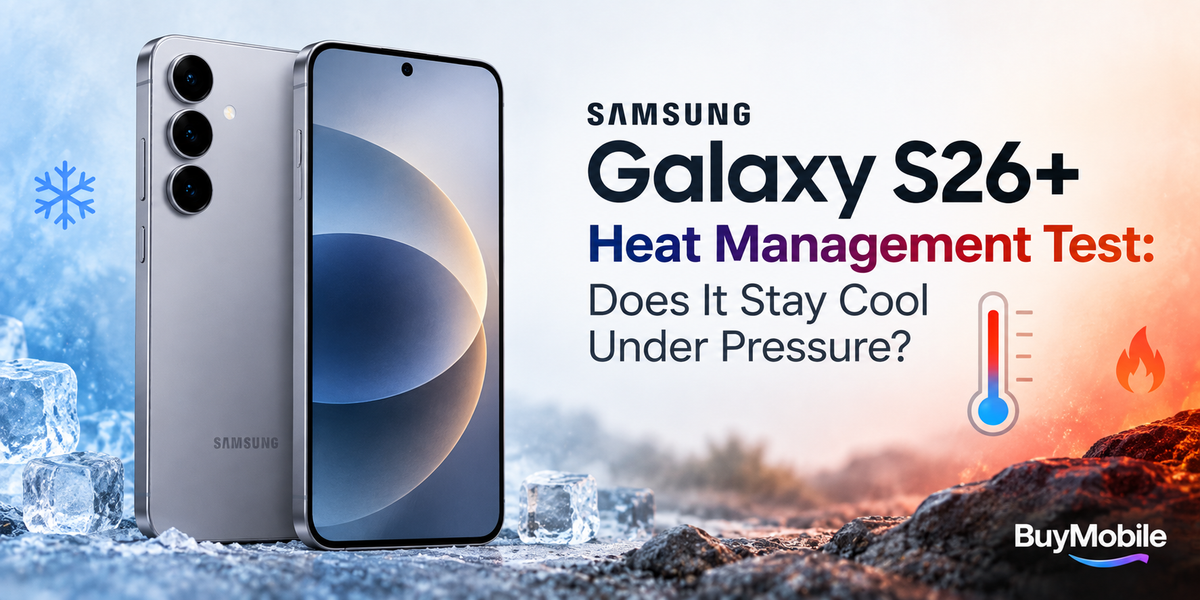
Modern flagship smartphones are incredibly powerful, but performance means little if a phone becomes uncomfortable or slows down whenever the workload increases. Gaming, 5G, navigation, video recording and fast charging can all generate heat, making thermal management an important part of the everyday smartphone experience.The Samsung Galaxy S26+ is designed as a premium Android phone capable of handling demanding apps, multitasking, photography, gaming and AI powered features. But what happens when you push it harder than normal?For this Samsung Galaxy S26+ heat management test, the important question is not whether the phone gets warm. Every powerful smartphone does. The real question is whether that heat becomes uncomfortable or starts affecting sustained performance.
Does the Samsung Galaxy S26+ Get Hot During Normal Use?
During ordinary smartphone tasks, heat should rarely be a major concern.Activities such as messaging, browsing websites, checking email, scrolling through social media and streaming music generally place a relatively light load on modern smartphone hardware.You may occasionally notice some warmth if several activities are happening simultaneously. Downloading applications while restoring data, installing updates or processing photos in the background can temporarily increase temperatures.That is normal behaviour.A smartphone becoming slightly warm is very different from overheating. Heat is naturally generated by the processor, display, modem, battery and other components whenever they are working.The challenge is moving that heat away efficiently.
What Happens During Heavy Multitasking?
Heavy multitasking creates a more interesting test.Imagine switching repeatedly between Chrome, YouTube, Instagram, Google Maps, photo editing applications and messaging while background downloads continue.The processor must constantly handle multiple tasks, while memory, storage and network components remain active.Under this type of workload, the Galaxy S26+ may become noticeably warmer than during basic browsing. However, short bursts of multitasking are generally easier for a flagship phone to manage than prolonged gaming or video recording.The important factor is sustained performance.If apps continue opening quickly, animations remain smooth and the phone avoids aggressive performance reductions, the thermal management system is doing its job.
Does Gaming Make the Galaxy S26+ Hot?
Gaming is one of the toughest thermal challenges for any smartphone.Demanding games can heavily load both the CPU and GPU while simultaneously keeping the display active at high brightness and potentially using a high refresh rate.A short gaming session may cause only moderate warmth. Play for an hour, however, and heat has more time to build.The Galaxy S26+ can therefore feel warmer around areas where major internal components are positioned. This does not automatically indicate a problem.What matters is whether performance remains consistent.A well managed phone may deliberately reduce peak performance slightly after extended gaming to prevent excessive temperatures. This process is commonly known as thermal throttling.For gamers, stable frame rates over a long session can be more valuable than extremely high performance for the first few minutes followed by a significant slowdown.
Does the Galaxy S26+ Throttle Under Pressure?
Thermal throttling is a protection mechanism rather than necessarily a weakness.Smartphone processors can operate at extremely high speeds, but running continuously at maximum performance generates considerable heat. When internal temperatures rise, the system can reduce processor frequencies and other performance parameters.The goal is to maintain safe temperatures while protecting the battery and internal hardware.During everyday tasks, most users are unlikely to notice significant throttling.Long gaming sessions, intensive video editing or benchmark loops are more likely to expose the limits of the cooling system.Even then, the more useful question is whether the phone remains smooth rather than whether benchmark numbers decline.Real world consistency matters more than maintaining maximum benchmark scores indefinitely.
What Happens When Recording High Quality Video?
Camera use can generate surprising amounts of heat.Recording high resolution video requires the camera sensor, image processor, storage and main chipset to work continuously. Add a bright display and warm outdoor conditions and the thermal load can increase quickly.Extended video recording can therefore make the Galaxy S26+ warmer than taking occasional photographs.Content creators should pay particular attention to this.If you are recording long videos outdoors, direct sunlight can increase temperatures independently of the phone's internal workload. A device that performs perfectly indoors may become considerably warmer when used under strong summer sunlight.Removing a thick protective case and keeping the phone away from direct sunlight between recordings can help it cool more effectively.
Does 5G Increase Heat?
5G can contribute to smartphone heat, particularly when the phone is transferring large amounts of data or struggling with a weak network signal.Imagine using 5G while navigating with GPS, streaming music and keeping the display at high brightness. Several power hungry systems are operating simultaneously.The modem is active, GPS is tracking your position and the display remains illuminated.That combination can create more warmth than simply browsing over WiFi.Network conditions matter too. A phone constantly searching for or maintaining a weak signal may use more energy than one connected to a strong network.This is why battery drain and heat can sometimes become more noticeable while travelling.
Does Fast Charging Make the Galaxy S26+ Warm?
Charging naturally produces heat.Fast charging can produce more noticeable warmth because energy is being delivered to the battery at a higher rate. Using the phone heavily while charging adds another source of heat at the same time.For example, playing a demanding game while fast charging is much more thermally challenging than leaving the phone untouched on a desk.If your goal is to minimise heat, allow the phone to charge without running demanding applications.A slightly warm phone during charging is normally expected. Excessive heat, repeated charging interruptions or temperature warnings deserve more attention.
Can a Protective Case Make the Phone Hotter?
Potentially.Cases protect smartphones from scratches and accidental drops, but thick materials can also affect how quickly heat escapes from the exterior.For normal use, this usually makes little practical difference.During prolonged gaming, fast charging or intensive video recording, removing an especially thick case may help heat dissipate more efficiently.This does not mean you should permanently use the Galaxy S26+ without protection. It is simply a useful option when performing unusually demanding tasks for extended periods.
How Can You Reduce Heat on the Galaxy S26+?
The easiest solution is reducing unnecessary workloads.Lowering screen brightness can help because the display itself consumes power and produces heat. Closing a demanding game after a long session gives the hardware time to cool.Avoid charging the phone under pillows, blankets or direct sunlight because these environments can trap heat.If the phone becomes unusually hot, stop intensive applications and allow it to return to a comfortable temperature naturally.You should not attempt extreme cooling methods such as putting a hot smartphone inside a refrigerator or freezer. Rapid temperature changes can create condensation and potentially damage the device.
Frequently Asked Questions
Is it normal for the Samsung Galaxy S26+ to get warm?
Yes. Some warmth during gaming, charging, navigation, camera use and other intensive activities is normal for modern smartphones.
Does heat reduce gaming performance?
It can. Smartphones may reduce processor performance when temperatures rise to protect internal components. The important factor is how smoothly the phone maintains performance during extended sessions.
Does 5G make a smartphone hotter?
Heavy 5G use can contribute to heat, especially when downloading large files, streaming or operating in areas with weak network coverage.
Should I remove the case when gaming?
Usually it is unnecessary, but removing a particularly thick case during very long gaming sessions may help heat escape more easily.
Is a warm phone the same as an overheating phone?
No. Warmth is normal under demanding workloads. Overheating involves temperatures high enough to trigger stronger protective measures, warnings or significant performance restrictions.