






































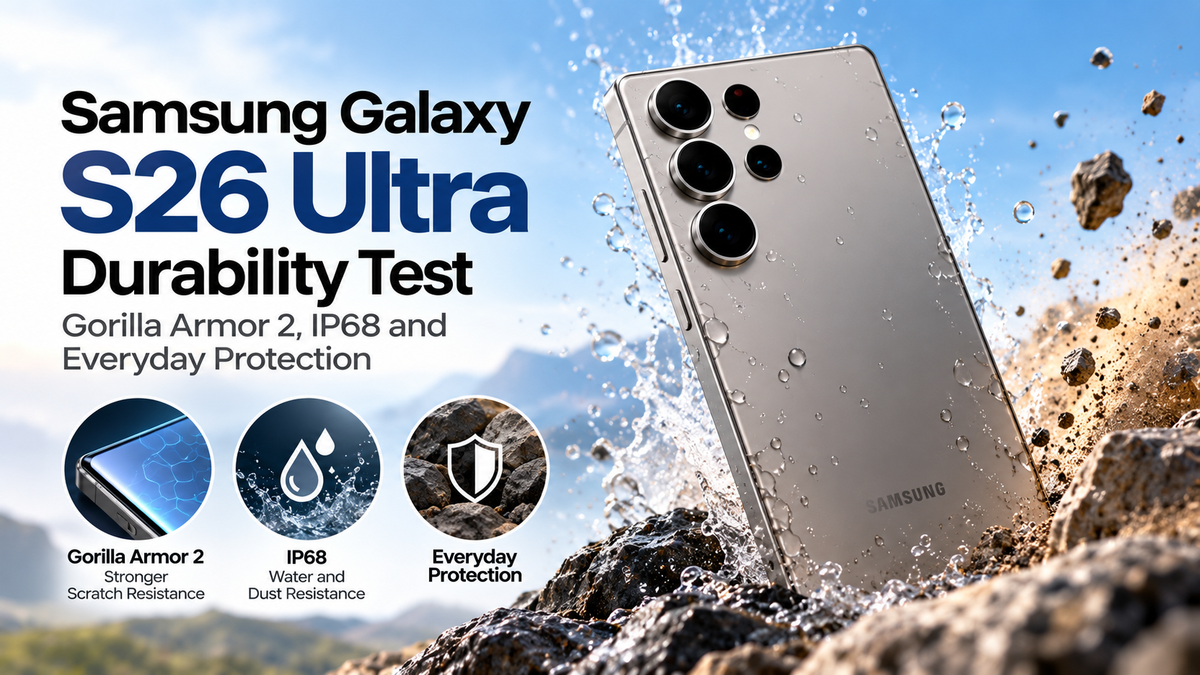
The Samsung Galaxy S26 Ultra is a premium flagship smartphone designed to deliver powerful performance, advanced photography and a sophisticated user experience. However, durability is just as important as processing power or camera quality when investing in an expensive device.From accidental drops and scratches to unexpected rain, everyday situations can put your smartphone at risk. The Galaxy S26 Ultra combines protective materials, water resistance and a robust construction to help withstand regular use.In this Samsung Galaxy S26 Ultra durability guide, we explore Gorilla Armor 2, IP68 protection, scratch resistance and practical ways to keep your smartphone safe.
Samsung Galaxy S26 Ultra Build Quality and Design
The Galaxy S26 Ultra features a premium construction designed to balance durability, comfort and appearance.Its reinforced frame and protective glass help maintain structural integrity during everyday handling.However, premium materials do not make a smartphone completely damage-proof.Drops onto concrete, pressure against hard objects and repeated impacts can still cause cracks or cosmetic damage.The phone's large display also means users should consider grip and handling when choosing protective accessories.A well-fitting case can help reduce the risk of damage without significantly affecting everyday usability.
Gorilla Armor 2: How Strong Is the Display Protection?
One of the Galaxy S26 Ultra's important durability features is its protective display glass.Gorilla Armor 2 is designed to improve resistance to scratches and impacts while maintaining excellent display clarity.This type of advanced glass combines durability with optical performance, helping protect the screen from common everyday hazards.However, scratch resistance does not mean the display is completely scratch-proof.Hard particles, particularly sand and certain minerals, can still leave visible marks.Keeping your smartphone away from abrasive surfaces remains important.A compatible screen protector may provide additional protection, although users should consider its effect on display appearance and specialised screen features.
Samsung Galaxy S26 Ultra Scratch Resistance
Scratches are among the most common forms of smartphone damage.Keys, coins and other objects are frequently blamed for screen scratches, but harder particles can be more damaging.The Galaxy S26 Ultra's protective glass helps resist ordinary wear, although its performance depends on the type of contact and applied pressure.The rear panel and camera surrounds can also develop cosmetic marks over time.For everyday protection, avoid placing your smartphone directly on rough surfaces.Using a soft-lined pocket or dedicated phone compartment can reduce unnecessary contact with abrasive materials.A protective case with raised edges can also help prevent the display and camera lenses from touching flat surfaces.
IP68 Water and Dust Resistance Explained
The Samsung Galaxy S26 Ultra carries an IP68 water and dust resistance rating.The first digit, six, indicates protection against dust ingress under standardised testing conditions.The second digit, eight, indicates water resistance under specified immersion conditions.Samsung's IP68 rating generally covers freshwater immersion at depths of up to 1.5 metres for 30 minutes under laboratory conditions.However, this does not mean the smartphone is waterproof in every situation.Water resistance can deteriorate through normal wear, accidental damage or previous repairs.Saltwater, swimming pools, soaps and high-pressure water can create additional risks.It is best to treat IP68 as protection against accidental exposure rather than permission for underwater photography.
Galaxy S26 Ultra Drop Resistance: What Should You Expect?
Accidental drops are a major concern for flagship smartphone owners.The Galaxy S26 Ultra's construction provides protection against some everyday impacts, but drop outcomes depend on several factors.These include falling height, landing angle, surface hardness and whether the phone is protected by a case.A fall onto carpet may cause little damage, while a shorter drop onto concrete could crack the display.Corner impacts are particularly concerning because force becomes concentrated in a small area.No protective glass can guarantee survival from every drop.For reliable everyday protection, use a shock-absorbing case with reinforced corners.
Camera Lens and Rear Panel Protection
The Galaxy S26 Ultra's camera system is one of its major attractions, making lens protection especially important.Camera lenses and surrounding components may be exposed to scratches when the phone is placed on tables or other surfaces.Although camera cover materials are designed for regular use, they are not immune to damage.A case with a raised camera surround can help prevent direct contact.Avoid placing the phone face-up on sandy or abrasive surfaces.If using separate camera lens protectors, choose carefully because poor-quality accessories may introduce reflections or reduce image clarity.Regularly clean the camera lenses with a suitable microfibre cloth.
Does the Galaxy S26 Ultra Need a Screen Protector?
Despite advanced protective glass, a screen protector can still be useful.Tempered glass and high-quality protective films provide an additional replaceable layer against scratches.However, not every screen protector is equally suitable.Some may interfere with fingerprint recognition, reduce display clarity or affect specialised viewing features.For the Galaxy S26 Ultra, compatibility with the ultrasonic fingerprint sensor and Privacy Display should be considered.Users who prefer the original display experience may choose to rely on Gorilla Armor 2 alongside a protective case.The right choice depends on personal usage habits and tolerance for cosmetic damage.
Everyday Protection Tips for Galaxy S26 Ultra Owners
Protecting your smartphone does not require complicated maintenance.Choose a case with raised screen edges and reinforced corners, especially if you frequently use your phone outdoors.Keep the device away from sand, excessive heat and prolonged moisture exposure.After accidental water exposure, dry the phone thoroughly before connecting a charging cable.Avoid using damaged charging accessories and regularly inspect the USB-C port for debris.For Australian users, a protective case is particularly useful during beach visits, hiking trips and outdoor activities.Remember that water and accidental damage may not be covered by the manufacturer's standard warranty.