






































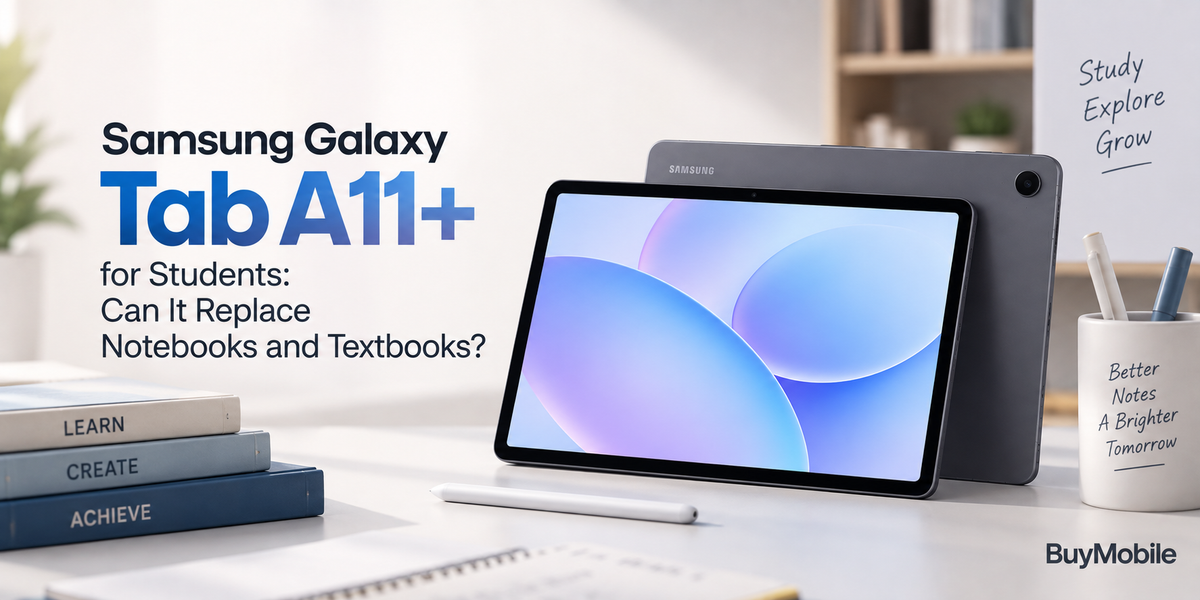
Students are carrying more technology than ever, but backpacks have not necessarily become lighter. Laptops, notebooks, textbooks, chargers and printed worksheets can still add considerable weight. The Samsung Galaxy Tab A11+ offers another approach by putting reading, research, online learning, entertainment and everyday study tools into one portable tablet.For students who want an affordable Galaxy tablet rather than a premium productivity device, the Galaxy Tab A11+ can be particularly appealing. A large screen gives digital textbooks and documents more room than a smartphone, while Android applications make it possible to organise assignments, attend online classes and access cloud based study materials.But can the Samsung Galaxy Tab A11+ genuinely replace notebooks and textbooks, or is it better considered an additional study device?
Is the Galaxy Tab A11+ Good for Students?
The Galaxy Tab A11+ makes sense for students because most modern study activities are already digital.Research happens online. Teachers distribute PDF documents. Assignments are submitted through websites and learning platforms. Class groups communicate through messaging applications, while recorded lessons and educational videos are increasingly common.A tablet brings these activities together on a screen that is more comfortable than a smartphone but generally more portable than a conventional laptop.Students can use the Galaxy Tab A11+ for web research, email, reading, video lessons and document viewing without constantly moving between different devices.That convenience is arguably its greatest strength.
Can It Replace Printed Textbooks?
For students who have access to digital versions of their textbooks, potentially yes.A tablet can store an entire collection of ebooks and PDF textbooks without adding physical weight to a backpack. Instead of carrying several books between home, school, university and the library, students can keep their reading material in one place.Digital textbooks also have practical advantages.Searching for a keyword can be considerably faster than manually flipping through hundreds of pages. Students can jump between chapters, bookmark important sections and access supporting web resources while reading.The Galaxy Tab A11+'s larger screen is particularly valuable here. Reading a textbook on a smartphone can feel cramped, especially when pages contain diagrams, tables and multiple columns.A tablet gives those materials much more breathing room.
Can the Galaxy Tab A11+ Replace a Notebook?
This depends on how you prefer taking notes.Typing notes on a tablet can be excellent for students who already use digital note taking applications. Information can be organised into folders, searched later and synchronised with cloud storage.This avoids one of the biggest problems with traditional notebooks: finding something you wrote several months ago.Digital notes can also include screenshots, web links, photographs and copied information from study materials.However, students who strongly prefer handwriting should consider their preferred input method and accessories before trying to eliminate paper completely. The experience of writing on a tablet is different from using a physical notebook.For many students, the most practical solution may be replacing most notebooks while keeping a small paper notebook for situations where handwriting remains easier.
Is the Screen Good for Reading and Studying?
Screen size is one of the biggest reasons to choose a tablet for education.A larger display makes PDFs, websites, presentations and digital textbooks easier to view. Students can spend less time zooming in and out compared with reading the same material on a phone.The extra room also helps when studying diagrams, charts and illustrations.This becomes particularly useful in subjects such as science, geography, design and business, where information is often presented visually rather than through simple paragraphs.The Galaxy Tab A11+ can also serve as a convenient screen for educational videos. A student can watch a lecture, tutorial or documentary without occupying the laptop they may need for another task.
How Useful Is Multitasking for Students?
Multitasking can transform a tablet from an entertainment device into a serious study tool.Samsung's tablet software allows compatible applications to be used together, which can be valuable during research and revision.A student might keep a textbook or webpage open while writing notes in another application. Someone following an online tutorial could simultaneously view supporting information.This reduces the constant switching between applications that happens on smaller devices.Multitasking is particularly useful when preparing assignments. Research often involves comparing multiple sources while writing, checking definitions or referring to a teacher's instructions.A larger tablet display gives those activities more usable space than a smartphone.
Can Students Use It for Online Classes?
Yes, and this can be another practical reason to own a tablet.Video conferencing applications can turn the Galaxy Tab A11+ into a portable online classroom. Students can join lessons from a desk, library or other suitable study location without always needing a laptop.The larger screen also makes it easier to see teachers, presentations and shared materials than attending the same class on a phone.Pairing the tablet with headphones can create a more focused learning environment, particularly in shared spaces.For recorded lessons, the tablet becomes even more convenient because students can pause, rewind and review difficult sections at their own pace.
Is the Galaxy Tab A11+ Good for Research?
A tablet is particularly well suited to casual academic research.Students can browse educational websites, read articles, access online libraries and save documents for later.The larger screen makes long webpages easier to navigate, while multitasking can help students compare information from different sources.Cloud based tools can also simplify organisation.Assignments, PDFs, presentations and notes can be stored online rather than scattered across USB drives, email attachments and paper folders.This makes the Galaxy Tab A11+ useful not only for consuming information but also for keeping study materials organised.
Can It Handle Documents and Assignments?
For basic assignments, a tablet can be surprisingly capable.Students can create and edit documents, prepare simple presentations, review PDFs and work with cloud based office applications.Adding a Bluetooth keyboard can make longer typing sessions considerably more comfortable.However, the Galaxy Tab A11+ should not automatically be considered a complete laptop replacement.Advanced spreadsheets, specialist desktop software, programming environments and complex creative applications may still be easier or only possible on a computer.For school assignments and straightforward university work, a tablet may cover much of what is required. For specialised courses, a laptop can remain essential.
What About Battery Life During a School Day?
Battery endurance matters because students may not always have easy access to a charger.Reading documents and taking notes generally place less pressure on a device than gaming or extended video streaming. Actual battery life will depend on brightness, WiFi or mobile connectivity, video calls and the applications being used.Students can improve endurance by lowering unnecessary screen brightness, closing unused applications and downloading materials before leaving home.Carrying a charger is still sensible during especially long days.The key advantage is having one device performing several roles rather than keeping multiple electronics charged separately.
Can the Galaxy Tab A11+ Reduce Backpack Weight?
Potentially, and this may be one of its most practical benefits.Replacing several printed textbooks, folders and notebooks with digital versions can remove a considerable amount of physical material.The tablet cannot eliminate everything. Some classes may still require printed worksheets, physical textbooks or handwritten work.But even partially moving study materials into digital form can make everyday organisation easier.It also reduces the frustration of arriving at class only to discover that the textbook you need is sitting at home.
Is It Good for Entertainment After Studying?
Students are unlikely to use a tablet exclusively for education.The Galaxy Tab A11+ can transition from studying to entertainment without requiring another device.YouTube, streaming services, casual gaming, social media and web browsing all benefit from the larger display.This versatility improves the value of buying a tablet for education because it does not become useless once assignments are finished.The important part is managing distractions. The same device containing textbooks also contains entertainment, so notification controls and focus settings can be useful during study sessions.
Frequently Asked Questions
Can the Samsung Galaxy Tab A11+ replace textbooks?
It can replace many printed textbooks when digital editions are available. PDFs and ebooks are easier to carry, search and organise on a tablet.
Is the Galaxy Tab A11+ good for taking notes?
Yes, particularly for typed digital notes. Students who prefer handwriting should consider their preferred note taking method and compatible accessories before completely replacing paper.
Can students write assignments on the Galaxy Tab A11+?
Basic documents, presentations and online assignments can be handled on a tablet. A Bluetooth keyboard can make longer writing sessions more practical.
Can the Galaxy Tab A11+ replace a laptop?
For basic studying, research, reading and online classes, it may cover many laptop tasks. Specialist software and demanding productivity workloads can still require a traditional computer.